Settings overview
What this is for
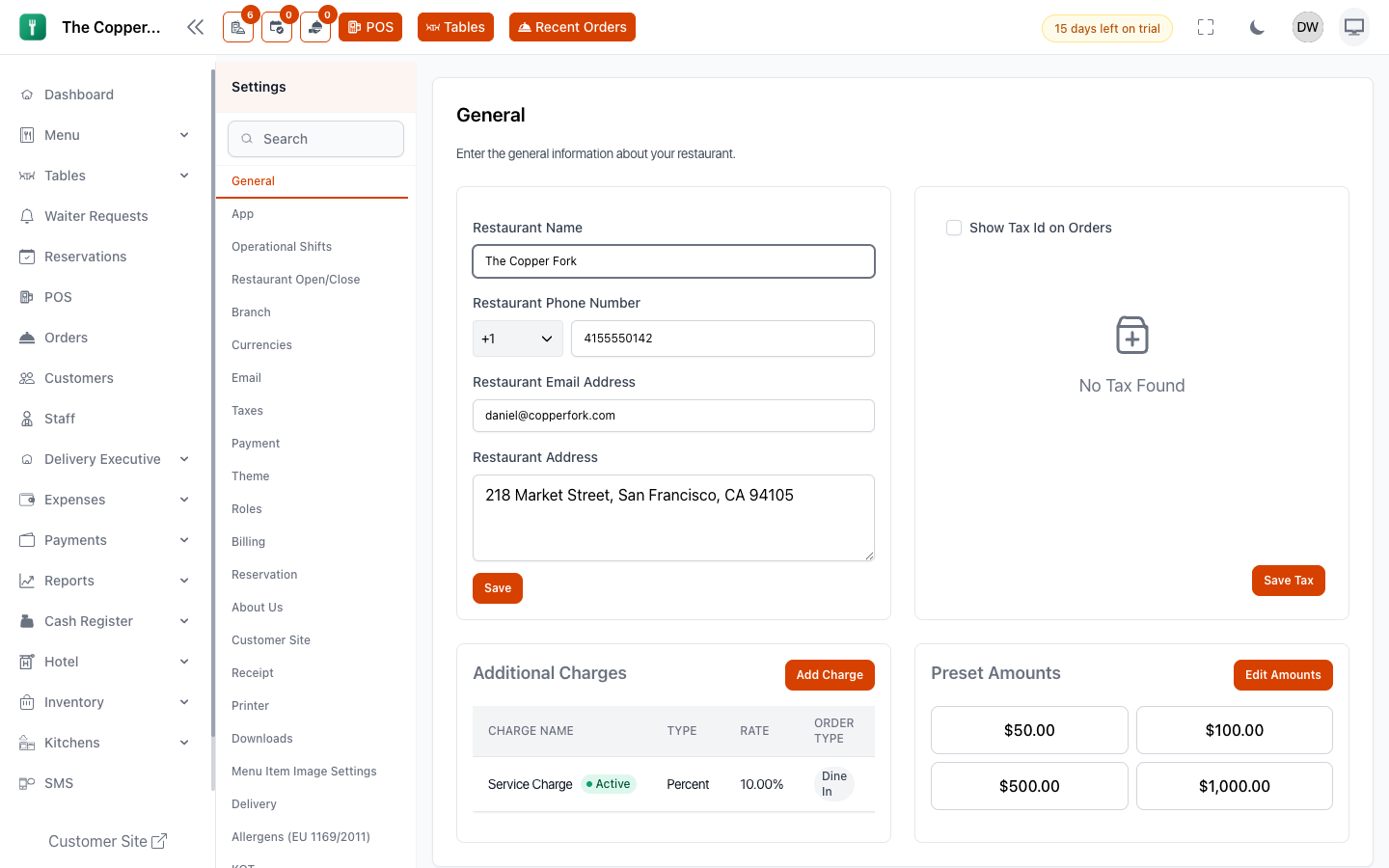
Restodesk has around fifty settings screens. This page maps every one of them to the guide page that explains it, so you can go from a tab you're looking at to the explanation you need.
Many settings are documented in the section they belong to rather than here — tax settings live with Taxes, printer settings with Receipts and printers. That's deliberate: you look for them when you're doing the job, not when you're browsing a settings list.
The map
Your restaurant
| Settings screen | Explained in |
|---|---|
| General | Setting up your restaurant |
| Restaurant | Setting up your restaurant |
| Branches | Adding branches |
| Operational Shifts | Opening hours and shifts |
| Restaurant Open/Close | Opening hours and shifts |
| About Us | Customer site |
Look and language
| Settings screen | Explained in |
|---|---|
| Theme | Appearance |
| Language | Language |
| Currency | Currency, numbers, date and time |
| Timezone | Currency, numbers, date and time |
Menu and kitchen
| Settings screen | Explained in |
|---|---|
| EU Allergens | Allergen labelling |
| Menu Item Images | Images and file storage |
| KOT | Kitchen ticket settings |
| Kitchens | Kitchens and stations |
Orders
| Settings screen | Explained in |
|---|---|
| Order Settings | Order settings |
| Custom Order Types | Custom order types |
| Cancellation Reasons | Order settings |
| Refund Reasons | Order settings |
| Receipt | Receipts and printers |
| Printers | Receipts and printers |
Customers and reservations
| Settings screen | Explained in |
|---|---|
| Customer Site | Customer site |
| Reservation General | Reservation rules and availability |
| Reservation Slots | Reservation rules and availability |
| Reservation Days | Reservation rules and availability |
Money
| Settings screen | Explained in |
|---|---|
| Taxes | Taxes |
| Payments | Payment gateways |
| Restaurant Payment | Payment gateways |
| Billing | Your plan and billing |
Delivery
| Settings screen | Explained in |
|---|---|
| Delivery | Delivery zones and fees |
| Delivery Apps | Third-party delivery apps |
People
| Settings screen | Explained in |
|---|---|
| Roles | Roles and What each role can do |
Notifications
| Settings screen | Explained in |
|---|---|
| Notifications | Who gets told what |
| Order Notification | Push notifications |
| Push Notification | Push notifications |
| Web Push | Push notifications |
| SMS | SMS |
Files and apps
| Settings screen | Explained in |
|---|---|
| Storage | Images and file storage |
| Downloads | Downloads and the desktop app |
| Desktop Application | Downloads and the desktop app |
Add-on settings
Each appears only when that add-on is on your plan.
| Settings screen | Explained in |
|---|---|
| Inventory | How Stock & Recipes works |
| Kiosk | Setting up a kiosk |
| MultiPOS | Registering terminals |
| Cash Register | Cash register and shift handover |
| Loyalty | Loyalty points and stamps |
| Hotel | How the hotel side works |
| AI | What the assistant does |
| Webhooks | Webhooks |
Settings you won't see
Some screens exist only for whoever administers the platform itself — superadmin currency, superadmin payment gateways, superadmin roles and theme, custom modules, licence upgrades and platform backups.
They're out of scope for this guide because they're out of scope for a restaurant. If you need something from one, that's a support conversation — see Getting support.
Before you change anything
- Most settings are per restaurant; some are per branch. Delivery, shifts, printers, kitchens, tables and kiosks are per branch. Check which one you're in before wondering why a change didn't apply.
- Changes affect new activity, not old. A tax rate or a charge changed today doesn't rewrite bills already open.
- Manage Settings is a broad permission. It reaches taxes and charges, which change every bill. See What each role can do.
- If a change doesn't seem to take effect, sign out and back in. Some settings are cached for speed.