Modifier groups and modifiers
What this is for
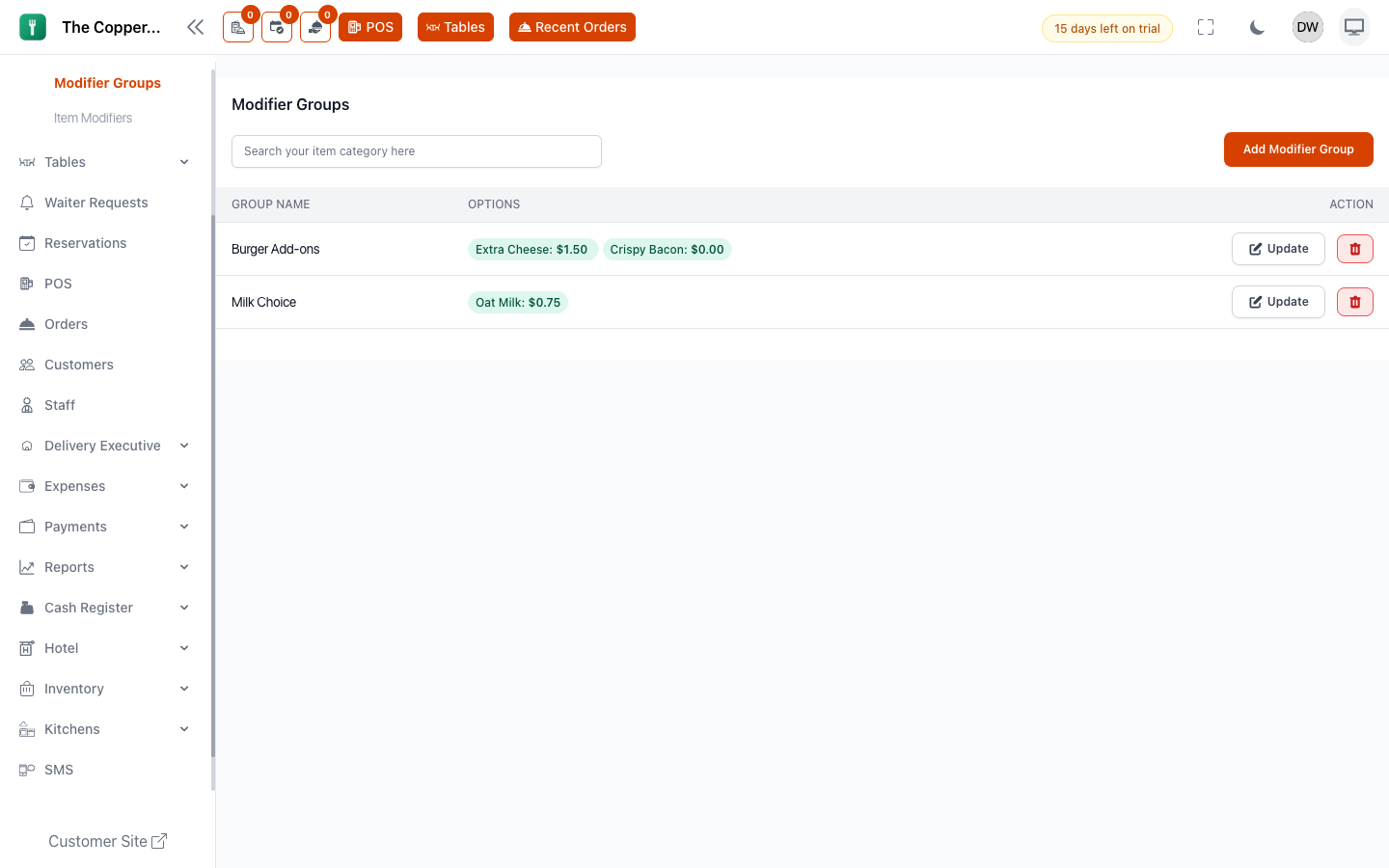
Modifiers are the choices attached to a dish. "How would you like that cooked?" "Pick a side." "Extra cheese?" They can be free or add to the price.
A modifier group is the question. The options inside it are the answers.
Choose a side
Pick oneExtras
Optional — pick any numberNotice that most options are included — picking Fries costs nothing. Only Truffle fries carries a price. A group where every option is included is a preference; a group where some cost more is also an upsell.
Before you start
Create the menu items first — you attach a group to items as you build it.
Creating a modifier group
- Go to Menu › Modifier Groups.
- Select Add Modifier Group.
- Enter a Group Name. This is the question staff and customers see, so phrase it as one: "Choose a side" reads better than "Sides".
- Add a Description if the choice needs explaining.
- Decide how it behaves:
- Required — the order can't proceed until something is chosen. Use it when the dish genuinely doesn't make sense without an answer, like a steak's cooking temperature.
- Allow Multiple Selection — the customer can pick more than one option. Leave it off for "choose one" questions, turn it on for "any extras".
- Add your Modifier Options. Each takes an Option Name and a Price. Use
0for choices that don't cost extra — they still need to be listed so staff can record what was asked for. - Under Select Menu Items, tick every item this group applies to.
- Set a Sort Order if you want groups to appear in a particular sequence.
- Save.
Attaching a group to variations
If an item has sizes, you can point a group at a specific variation rather than the whole item — so a large coffee offers a syrup choice a small one doesn't. Use Apply To Base Item to attach it to the item generally, or Select Variation to attach it to one size.
What the price does
An option's price is added to the line when it's chosen. A 16.00 burger with Extra cheese at 1.50 comes to 17.50, and that carries through to the bill, the receipt and your reports.
Options priced at 0 change nothing on the bill but still print on the kitchen ticket — which is the whole point of "no onions".
Turning an option off
Set the option to unavailable. It disappears from the choice list without removing it from the group, so you can bring it back when the delivery arrives.
Item Modifiers
Menu › Item Modifiers is a flat list of every individual modifier, with its name, description, price, type and category. It's a faster place to change a price across the board than opening each group. Set your structure up in Modifier Groups, then use this list for day-to-day edits.
Good to know
- Keep groups short. Every extra option is another tap during service. If a group runs past about eight options, it probably wants splitting.
- Reuse groups. One "Choose a side" group attached to nine mains is far easier to maintain than nine copies of it.
- Required plus multiple selection means "pick at least one, as many as you like".
- Modifier groups come across when you copy a menu between branches. See Adding branches.
- Modifiers are for choices and extras. For the same dish in different sizes with their own prices, use variations instead — see Adding menu items.